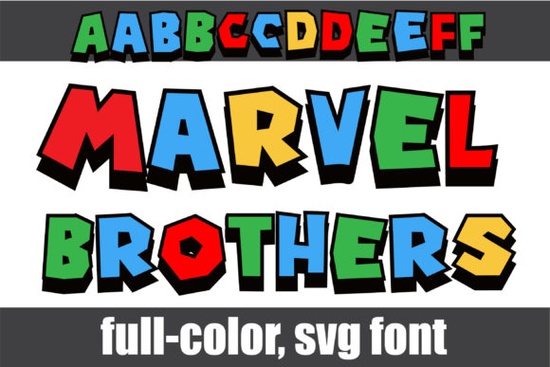
If you've been looking for a bold, colorful typeface that stands out on posters, t-shirts, and digital designs, the Marvel Brothers Font is worth a close look. It's a full-color font with blocky, primary-colored letters and sharp black shadows that give every character a strong, comic-book feel. Whether you sell print-on-demand products or just love creating fun graphics, this font brings a lot of personality to any project.
What Exactly Is a Color Font, and How Is It Different?
Most fonts you install are plain single-color outlines. A color font (also called an Opentype-SVG font) carries actual color data inside the file itself. That means when you type, the letters appear in multiple colors right away no manual coloring needed.
This is what makes the Marvel Brothers Font so eye-catching. Each letter comes in bright primary colors reds, blues, yellows layered on top of black drop shadows. The effect looks almost hand-painted, which saves you time if you're working on tight deadlines for client projects or product listings.
Because color fonts work differently than standard fonts, they do have some software requirements. Let's get into that next.
What Software Can I Use with This Font?
The Marvel Brothers Font is compatible with the following programs:
- Adobe Photoshop
- Adobe Illustrator
- Silhouette Studio
- Inkscape (free and open-source)
These applications support Opentype-SVG rendering, which means they can display the embedded colors correctly. If you're a designer who already works in Photoshop or Illustrator, you'll be able to drop this font into your workflow without any extra steps.
Important note: The OTF and TTF files included with this font are not compatible with Cricut Design Space. If you're a Cricut user, this is something to keep in mind before purchasing. The color font format simply doesn't render in Cricut's software at this time.
For a deeper breakdown of color font compatibility and setup, Creative Fabrica has a helpful Ultimate Font Guide that covers installation tips for different platforms.
How Do I Access the Alternate Characters?
The Marvel Brothers Font includes a second set of upper and lower case alternates. These give you extra variety when you want certain letters to look a little different great for avoiding repetition in longer words or adding visual interest to logos.
To access these alternates, you'll need to use your system's character map:
- Windows: Open "Character Map," find the font, and copy-paste the alternate glyph you want.
- Mac: Use the "Character Viewer" (Edit > Emoji & Symbols) to browse and insert alternates.
- Photoshop/Illustrator: Open the Glyphs panel (Window > Glyphs) to see and select all available characters.
This extra set of characters makes the font more versatile than it might first appear, especially for branding work where you want a custom look without commissioning hand-lettering.
What Can I Create with a Bold Block Color Font?
Fonts like this one are a natural fit for projects that need strong visual impact. Here are some practical uses:
- T-shirt designs for print-on-demand shops (Etsy, Redbubble, Merch by Amazon)
- Party invitations and event flyers, especially for kids' birthdays or comic-themed events
- Social media graphics bold type catches the eye in fast-scrolling feeds
- Book covers and chapter headings for children's books or graphic novels
- Sticker sheets and planner accessories
- Logo concepts for playful brands or small businesses targeting a younger audience
If you like this style, you might also want to check out the Spiderweb Army font for colorful design projects, which takes a different creative direction but shares that same colorful, attention-grabbing quality. Browsing Spiderweb Army Font on Creative Fabrica gives you a sense of the variety available in the color font category.
You can also explore the full details and previews of Marvel Brothers Font and its colorful design features to see exactly how the lettering looks in action before you buy. And for direct access, here's Marvel Brothers Font on Creative Fabrica.
Is This Font a Good Fit for Small Businesses?
If you run a small business that targets families, kids, or pop-culture fans, a typeface like this can become part of your visual brand. It works well for:
- Birthday party planning services
- Children's clothing brands
- Comic book or gaming shops
- Custom gift and print shops
That said, color fonts are more specialized than everyday workhorse typefaces. You probably won't use it for body text or formal documents. Think of it as a headline and display font something that grabs attention in short bursts of text.
Quick Checklist Before You Buy
Here's a simple step-by-step to make sure this font is right for your needs:
- Check your software. Are you using Photoshop, Illustrator, Silhouette, or Inkscape? If yes, you're good.
- Avoid Cricut. If Cricut Design Space is your only design tool, this font won't render correctly.
- Test with alternates in mind. Plan to use the character map or Glyphs panel to access the second set of letters.
- Review the license. Make sure the Creative Fabrica license covers your intended use especially for print-on-demand or commercial projects.
- Preview on your project. Download, install, and type out a few sample words before committing to a final design.
Tip: Start with a simple project like a single t-shirt design or a social media post. Get comfortable with how the color rendering and alternate characters work before using the font on larger, more complex layouts.
Get Started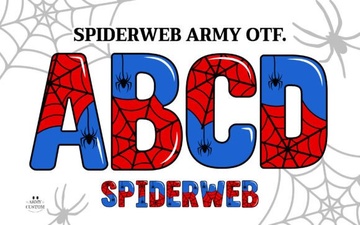 Spiderweb Army Font: Bold Gothic Style for Creative Projects
 Exploring Things Font for Creative Design Projects
 Elegant Wedding Infinity Monogram Font for Romantic Designs
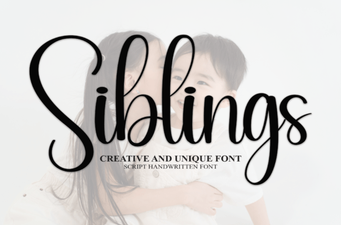 Siblings Font: a Versatile Typeface for Creative Projects
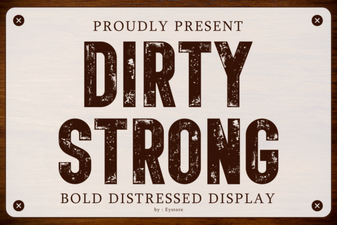 Dirty Strong Font: Bold and Gritty Display Typography for Designers
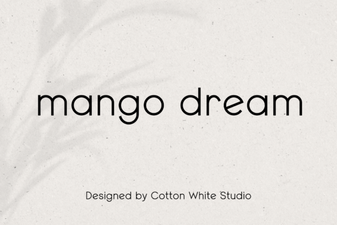 Mango Dream Font – Free Sans Serif Display Font Download